
To integrate your email inside of VettX:
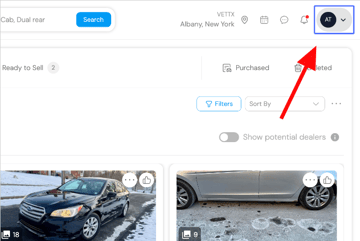
- Click on your profile icon in the upper right hand corner of your screen
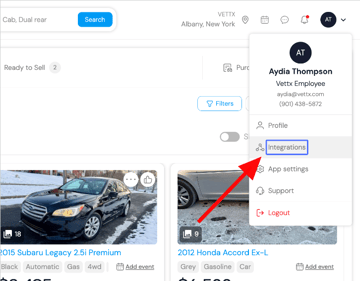
- Click on Integrations
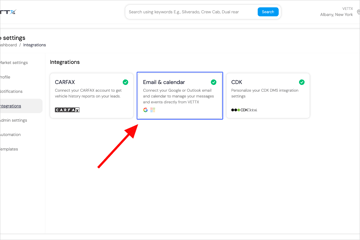
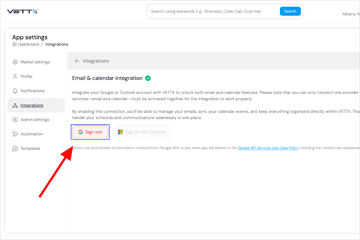
- Click on Email & calendar
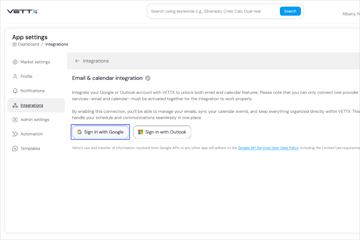
- Login with either a Gmail or Outlook account. This will open up a new tab that will allow you to sign in directly through the Google or Outlook sign in page
- If you're asked to select what you want to allow VettX to see, select all boxes to allow full access for this integration. VettX can only see what sellers send you and what you send to sellers.
- Once you see "Sign Out" in red, you're all set!
- VettX recommends using a personal facing email that does not immediately identify you as a dealer for higher response rates.
Frequently Asked Questions
Q: Can I use my work email for this?
A: While you can integrate a work email if it's hosted through Gmail or Outlook, it is not recommended. If Gmail/Outlook states it needs admin approval to use tht email, please connect with your IT department to approve the integration.